
Custom software for dealer networks
Dealer configurator software built around your business.
Configurix builds custom dealer portals that connect your approved product catalogue, 3D configuration, dealer pricing, margins, quotes, approvals and order handoff. Every account sees the products, commercial rules and actions it is allowed to use.
Configurix
West region · Sales account
Workspace
Current project
Bioclimatic pergola
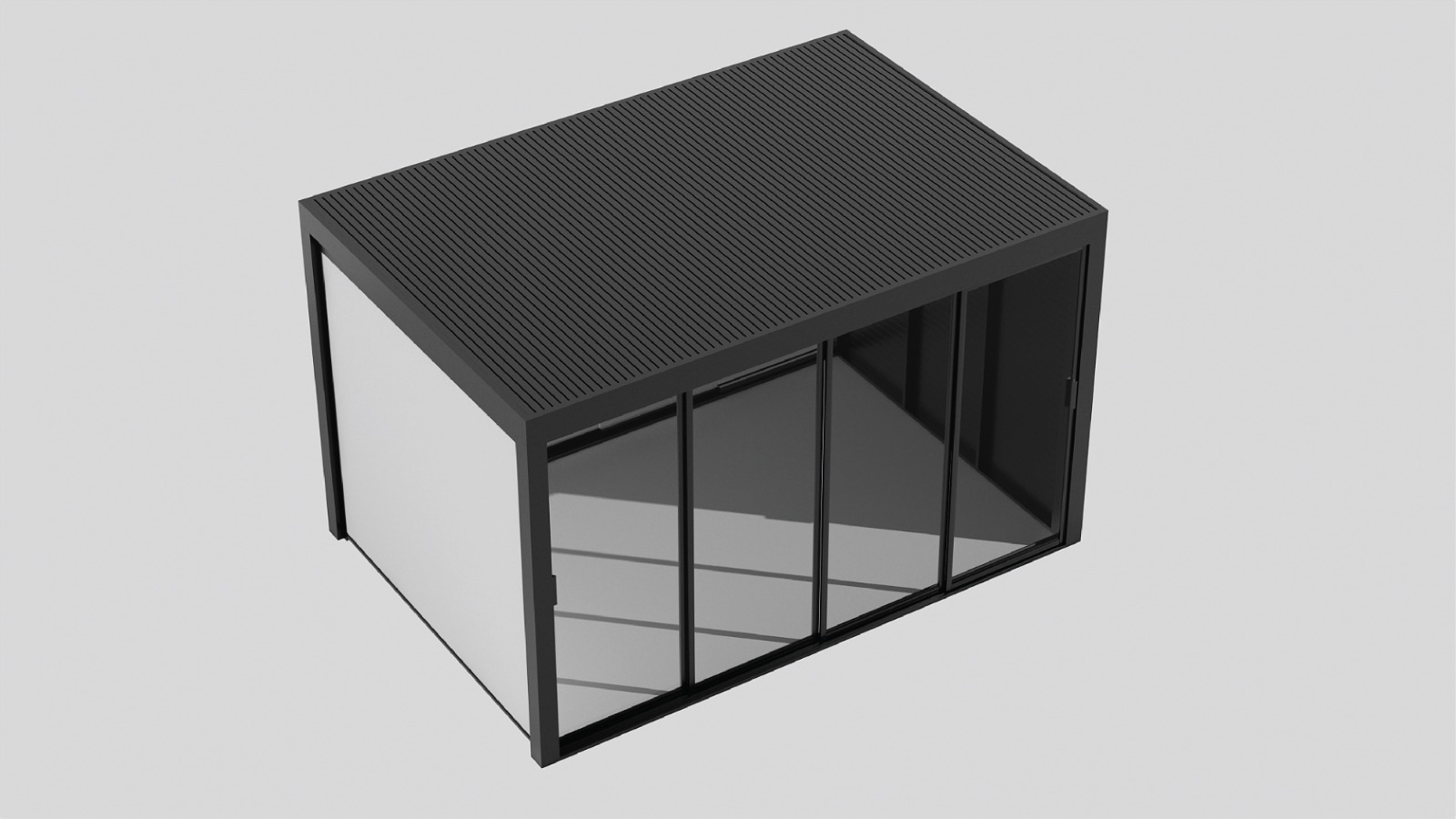 13′ 9″ × 11′ 6″
Roof
Louvered
Finish
Anthracite
Screen
Included
Price
€10,440
Clear definition
What dealer configurator software does.
Dealer configurator software gives authorized channel partners a governed way to sell complex, configurable or made-to-measure products. It identifies the dealer account first, then applies the correct catalogue, product rules, prices, permissions and documents to every customer project.
Configurix combines this dealer context with product configuration and visual CPQ. Dealers can guide a customer through valid choices, see the selected product, calculate the correct commercial result and continue to a quote, approval or order without asking head office to re-enter the project.
The platform is custom-built around the way your network works. A manufacturer with exclusive territories needs different accounts and approvals from a multi-brand distributor, showroom group, franchise or installer network. Configurix defines those differences as product, commercial and workflow rules—not manual workarounds.
Complete dealer platform
One connected system from catalogue to configured order.
The portal interface is only one layer. Reliable dealer software also needs product governance, commercial authorization, persistent project data and controlled handoff.
Assigned product catalogues
Publish the product families, models, dimensions, finishes and accessories each dealer is authorized to sell. Availability can vary by brand, territory, market or account.
Rule-driven configuration
Guide dealers through valid dimensions, components and combinations. Required, incompatible and conditional options are controlled by product logic instead of memory or a PDF.
Dealer pricing and margins
Connect account price lists, formulas, taxes, delivery, installation and discounts. Decide separately who can see buy price, sell price, margin and approval thresholds.
Branded quotes and proposals
Generate customer-ready documents from the saved configuration, with the correct dealer identity, selected product, visuals, pricing, terms and revision reference.
Customers, projects and follow-up
Keep the dealer, salesperson, customer, configuration, quote and status together. Teams can continue a project without rebuilding the product from notes or email attachments.
CRM, ERP and order connections
Send agreed account, customer, configuration, quote and order fields to your existing systems through scoped APIs, webhooks or supported file exchanges.
Accounts, roles and permissions
Separate product owner, distributor, dealer administrator, salesperson and customer access. Permissions are enforced in the application and data layer—not only hidden in the interface.
Markets, languages and units
Adapt catalogue content, interface language, documents, currencies, taxes and metric or imperial units for the regions served by each dealer network.
Central administration
Manage dealer accounts, catalogue assignments, product releases, pricing context and platform settings from one governed source instead of distributing new spreadsheets.
Custom by design
Your network, your products and your commercial rules.
Configurix starts from the business system that already exists—then removes the spreadsheets, repeated entry and disconnected tools surrounding it.
Your network
Match the real dealer structure
Configure manufacturers, brands, master dealers, distributors, branches, salespeople, installers and territories around your actual commercial relationships.
Account hierarchy
Territories and branches
Role permissions
Dealer onboarding
Your products
Encode the way your range is sold
Build the configurator around your approved models, dimensional boundaries, dependencies, materials, accessories and product-specific exceptions.
Product families
Rules and dependencies
3D or guided selection
Optional BOM mapping
Your commercial model
Apply the correct price and next action
Use the signed-in dealer, market and project to determine price lists, margins, discounts, approvals, taxes, installation and quote or order permissions.
Account price lists
Margin controls
Approval workflows
Quote or order routes
Role-specific experience
One platform. A useful view for every role.
Select a role to see how the same dealer platform changes its information and actions without separating the underlying product and project record.
Dealer sales workspace
Configure and quote with the customer.
The salesperson sees assigned products, customer-safe visuals, permitted prices and every active project for that dealer account.
Catalogue
Outdoor systems · 18 models
Customer
Avery Residence
Configuration
Bioclimatic pergola · Rev 3
Commercial status
Price calculated
Dealer sales workflow
From sign-in to approved project.
Every stage continues from the same account and configuration identity. Teams can inspect the current revision instead of guessing which PDF or spreadsheet is latest.
Identify the dealer context
Sign-in, invitation or account selection resolves the company, branch, user, role, market and permissions before products or prices are shown.
Open the assigned catalogue
The dealer starts from approved product families and market-specific availability rather than a global catalogue that needs manual correction later.
Configure a valid product
Dimensions, modules, materials, accessories and dependencies respond to the same governed rules used by the commercial record.
Calculate dealer and customer pricing
The system applies the account price list, formulas, quantities, taxes, delivery, installation, margins, discount permissions and required approvals.
Save the customer project
Customer details, configuration ID, revision, visuals, calculations and notes remain connected so another user can reopen exactly what was discussed.
Create, approve or accept the quote
The permitted user generates a dealer-branded proposal, requests an approval, captures customer acceptance or moves the project to a configured order.
Handoff and track status
Agreed project data continues to CRM, ERP, ecommerce, scheduling, production or installation while the portal keeps the latest status visible.
Commercial permissions
Protect sensitive prices while keeping dealers fast.
The final matrix follows your contracts and account structure. This example shows why customer, salesperson, dealer administrator and product owner cannot share one generic permission.
| Capability | Customer | Salesperson | Dealer admin | Product owner |
|---|---|---|---|---|
| Assigned catalogue | Customer-safe | Dealer account | Dealer account | All governed catalogues |
| Customer sell price | Optional | Visible | Visible | Governed |
| Dealer buy price | Hidden | By permission | Visible | Governed |
| Margin | Hidden | By permission | Visible | Governed |
| Discount | No | Within limit | Within limit | Sets limits |
| Approve exception | No | Request only | Optional | Yes |
| Publish product rules | No | No | No | Yes |
Connected architecture
Fit Configurix into the systems you already trust.
A custom dealer platform does not need to replace every system. Configurix can own the governed configuration and dealer workflow while exchanging defined fields with the systems responsible for customers, finance, commerce and operations.
CRM
Typical authority
Accounts, contacts, opportunities and sales activity
Data contract
Dealer identity, customer, project URL, quote value, stage and follow-up events
ERP
Typical authority
Price lists, account terms, tax context, stock or order processing
Data contract
Account and price context in; approved configured order and commercial references out
PIM or catalogue
Typical authority
Product text, identifiers, classifications and approved media
Data contract
Published product data aligned with Configurix rules and visual bindings
Ecommerce
Typical authority
Storefront, basket, checkout, payment and standard order lifecycle
Data contract
Configuration ID, revision, selected product, calculated amount and customer action
Operations
Typical authority
Survey, scheduling, production, delivery or installation execution
Data contract
Approved dimensions, components, documents, optional BOM and project status
Custom implementation
Build the first complete dealer journey, then expand.
Configurix defines the launch around real products, accounts and acceptance cases. That keeps the first release useful while leaving a controlled path for more dealers, markets, catalogues and integrations.
Map the dealer operating model
Define account hierarchy, territories, products, pricing, documents, roles, systems and the first complete dealer journey.
Agree acceptance cases
Choose real dealers, products and boundary-price examples that must work before the software is accepted.
Build the custom workflow
Configure the product model, interface, account context, documents and integrations in reviewable increments.
Test every permission boundary
Verify catalogue assignment, prices, margins, discounts, account isolation, approvals, revisions and failed integrations.
Pilot with representative dealers
Launch with a controlled group, train the users who own the workflow and capture support questions before wider rollout.
Operate and improve
Publish catalogue changes, monitor adoption, support users and expand products, markets or integrations through a governed release process.
Focused fast launch
Target one working product in 7 days.
Best suited to a ready product model, clear rules and prices, one defined journey and available reviewers.
Full white-label dealer platform
Multiple products and roles in up to 30 days.
Timing depends on catalogue readiness, integrations, documents, languages, approval rules and acceptance scope.
Dealer configurator FAQ
Detailed answers for product owners and dealer networks.
Use these questions when comparing dealer portals, B2B ecommerce and visual CPQ—or when defining what your custom Configurix implementation must prove.
Related planning guides
Go deeper into the layer your dealer network needs.
B2B product configurator
Dealer portals, account context and configured orders.
Read the guidePricing engine
Price lists, formulas, margins, discounts and approvals.
Read the guideSSO and identity
Dealer authentication, roles and account isolation.
Read the guideConfigurator integrations
CRM, ERP, ecommerce and operational data contracts.
Read the guideBuild your dealer platform
Show us your dealer model. We’ll show you the working software.
Bring one representative product, dealer account, price list and quote. Configurix will map the custom configuration, commercial and handoff workflow your network needs.