Configurix

3D garage door configurator for manufacturers, dealers and installers

Configure the complete garage door— from opening to order.

Configurix connects made-to-measure openings, panels, tracks, lift systems, glazing, wicket doors, motors, controls and safety equipment in one guided 3D project—with live account pricing, branded quotes and optional order data connected to the selected door.

Residential sectional, roller, side-sliding and industrial door systems
Opening, panel, track, lift, motor, control and safety-device rules
Customer website, dealer portal, showroom and internal sales workflows
Live account pricing, branded quotes, drawings and optional BOM handoff
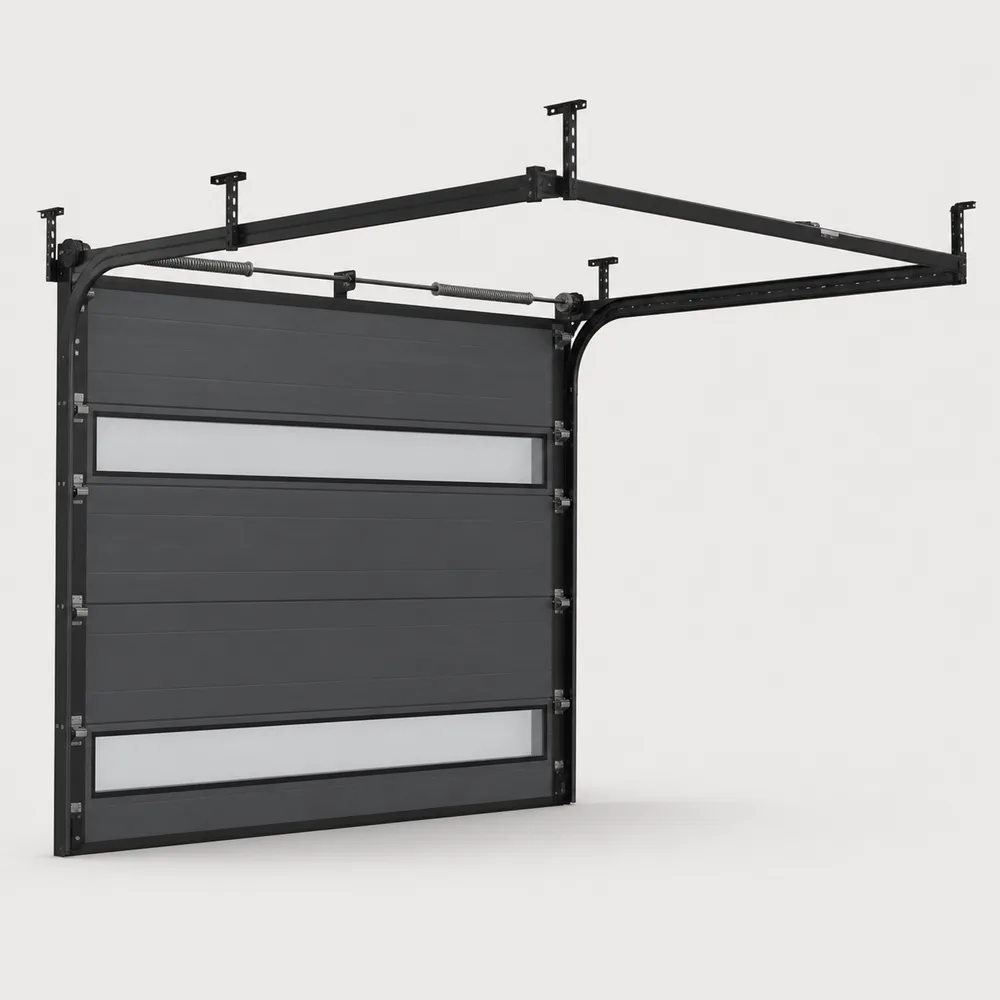
Configurable anthracite sectional garage-door system with tracks and glazed panels

Connected garage door workflow

The opening, door system, price, quote and order record stay connected.

Garage door configuration software defined

A garage door is an opening, moving structure, control system and installation.

Garage and industrial doors combine visible choices with concealed technical decisions. Opening size, headroom, sideroom, depth, panel build, lift or track package, springs, motor, controls and safety devices must remain compatible as the buyer changes the design.

A manufacturer-focused configurator represents those relationships as one structured product. When a user changes the opening, adds a wicket door or selects another operator, the visual model, compatibility, price and configured data can respond together instead of leaving sales to reconcile a sketch, price list and technical order form.

Configurix can use the same governed catalogue across a manufacturer website, distributor or dealer network, showroom and installer workflow. Products, price lists, languages, permissions and documents can differ by account or region while the underlying door and automation logic remains controlled.

Final approval remains a technical responsibility. Opening measurements, fixings, tracks, springs, wind and fire requirements, guarding, entrapment protection, electrical work and emergency operation must be validated through the process defined by the manufacturer and applicable regulations.

Model the garage door decisions that drive fit, price and order accuracy.

The product model is built from the manufacturer's door families, opening requirements, moving hardware, automation, commercial rules and required outputs—not from a generic panel-colour visualizer.

Door and opening geometry

Guide the buyer through the door systems and building conditions that can be supplied.

  • Sectional, roller, side-sliding, up-and-over and industrial families
  • Opening width and height, headroom, sideroom, reveal and depth
  • Minimums, maximums, increments, thresholds and review triggers

Tracks and lifting system

Keep the moving door connected to its required clearances and hardware.

  • Standard, low-headroom, high-lift, vertical and roof-following tracks
  • Shaft, springs, drums, cables, rollers, hinges and reinforcement
  • Door weight, roof pitch, depth, motor position and duty-cycle rules

Panels and access

Present the visible product without losing structural compatibility.

  • Panel build, insulation, pattern, texture, inside and outside finish
  • Window, porthole, full-vision, ventilation and glazing layouts
  • Wicket-door position, threshold, handing, lock and reinforcement

Motorization and safety

Connect automation and protective equipment to the selected door.

  • Operators, control units, transmitters, keypads and smart access
  • Photocells, safety edges, loop detectors, warning lights and backup
  • Product, size, weight, use, market and installation dependencies

Pricing and sales channels

Use one product model across self-service and assisted selling.

  • Public website, showroom, dealer and internal-sales interfaces
  • Size, panel, track, motor, accessory and installation calculations
  • Account price lists, margins, currencies, taxes and approvals

Quotes and system data

Preserve the accepted door beyond the sales screen.

  • Branded quotes, technical elevations, revisions and approvals
  • Optional BOM, configured-order, spare-parts or service handoff
  • CRM, ERP, PIM, ecommerce, API, webhook and EDI connections

One connected process

From measured opening to a reviewed garage door order.

The customer, dealer, surveyor, technical team and operations team can continue from the same structured door while each role sees the appropriate visual, commercial and technical detail.

Define the opening

Start with the building

Capture width, height, headroom, sideroom, depth, floor, obstructions, installation position and intended use.

Configure the door

Apply valid products

Select door family, panels, tracks, lift, glazing, wicket door, motor, controls and safety equipment within rules.

Build the offer

Calculate and quote

Use the configured system to apply the correct account price list and create the visual commercial proposal.

Validate and continue

Survey, approve and hand off

Confirm opening and technical requirements before passing the accepted specification and order data forward.

A garage door visualizer changes the façade. A connected configurator governs the moving system.

Manufacturers should test whether the software responds correctly when the opening, track, panel, wicket door, motor and dealer context change—not only whether the colour looks realistic.

RequirementConfigurix garage door implementationPhoto visualizer
Opening and clearancesWidth, height, headroom, sideroom, depth and installation conditions can drive available systems.Usually places a door image over a façade without complete clearance validation.
Tracks and hardwareLift package, tracks, springs, reinforcement and operator can remain connected to the door.Moving hardware is commonly hidden or selected later in another tool.
Wicket door and safetyAccess, motor, controls and safety devices can follow size, use and compatibility rules.Visible options may not include the complete technical or safety package.
Live account pricingThe same product can use dealer-specific products, prices, discounts and margin permissions.Pricing is often absent or rebuilt separately after visualization.
Quote and order handoffAccepted opening, door, track, automation and price data can continue into documents and downstream systems.Usually exports an image or enquiry rather than a governed configured order.

Garage door configurator software FAQ

Detailed answers for garage and industrial door teams.

Openings, panels, tracks, lift systems, motors, safety equipment, pricing, quotes, drawings, integrations and order data.

See the working system

Book a demo. See Configurix live.

A free, no-obligation walkthrough tailored to how your team configures, quotes and delivers.

Book a demo
Illustrative Configurix product guide wearing a branded T-shirt

Talk through your catalog, rules and sales flow with us.