
Turn configured dimensions into a usable cut list.
Specify cut lists with finished dimensions, kerf, trimming, stock lengths and remnant rules. Follow a worked cutting-feasibility calculation.
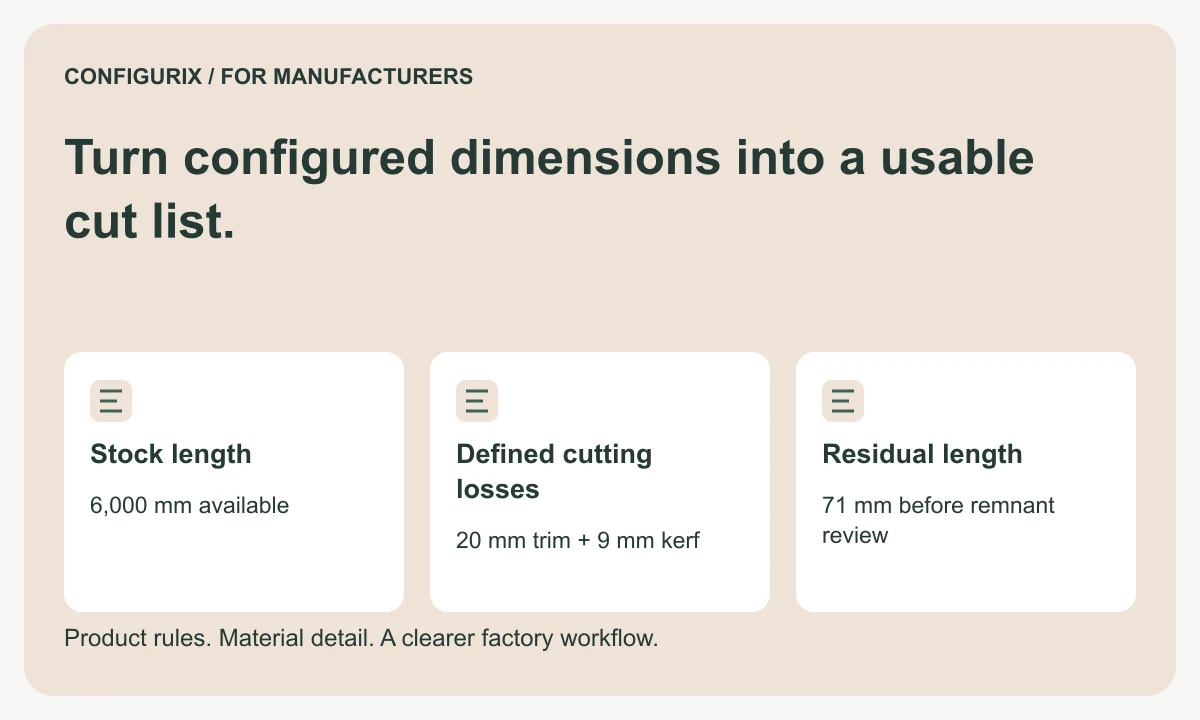
Table of contents
- Start with the finished part definition
- Keep kerf, trimming and allowance separate
- Check a small cutting example
- Decide what counts as a reusable remnant
- Define what optimisation is allowed to change
- Keep parts connected to the accepted order
- Can the same software produce a BOM and a cut list?
- Should we add a fixed waste percentage?
- Can Configurix send data to our cutting equipment?
A cut list describes the pieces a factory needs to produce. A bill of materials may describe the total material requirement, while a cutting plan assigns individual pieces to available stock. These outputs should agree, but they are not interchangeable. A correct total length can still produce an impossible cutting arrangement.
For a Configurix product configurator implementation, specify how configured dimensions become finished part dimensions, how stock is selected and where production reviews the result. This is particularly useful for manufacturers working with profiles, rails, frames and other products cut from standard lengths. The first useful output is an explainable list of parts; optimisation requires additional constraints and its own acceptance criteria.
Start with the finished part definition
Each cut-list row should identify the part, source configuration, material specification, finished length and quantity. Add the end treatment, angle or orientation when relevant. A part with two square ends is not equivalent to one requiring mitres, even if the longest measured dimension matches.
Agree how dimensions are measured. A mitred component can be described by a long point, short point or another agreed datum. A drawing and a cut-list row must use the same convention. Avoid abbreviations that one team understands differently from another, and keep the measurement convention with the part definition.
| Cut-list field | Decision to make |
|---|---|
| Material and finish | Which stock items are interchangeable? |
| Finished length | Which points define the measurement? |
| Quantity | Is this per assembly or for the whole order? |
| End treatment | Are both ends square, angled or machined? |
| Orientation | Does a visible face or grain direction matter? |
| Traceability | Which order and assembly receive the part? |
| Review status | Who approves the calculation for production? |
Keep kerf, trimming and allowance separate
Kerf is the width of material consumed by a cut. End trimming removes material from a stock end before useful parts are produced. A machining allowance leaves additional material on a part for a later operation. These values belong to different steps and should not be merged into a single unexplained waste percentage.
Ask the production team how many cuts the proposed process requires. A convenient formula that assumes one cut per piece is only valid under its stated setup. An already prepared end, a shared cut or a different machine sequence can change the count. Store the assumption and test it against the intended machine process.
The calculation should also know whether a stock defect can be excluded, whether mixed finishes can share a plan and whether the machine needs a minimum clamping length. A software rule that produces a mathematically attractive result is not useful if an operator cannot execute it.
Check a small cutting example
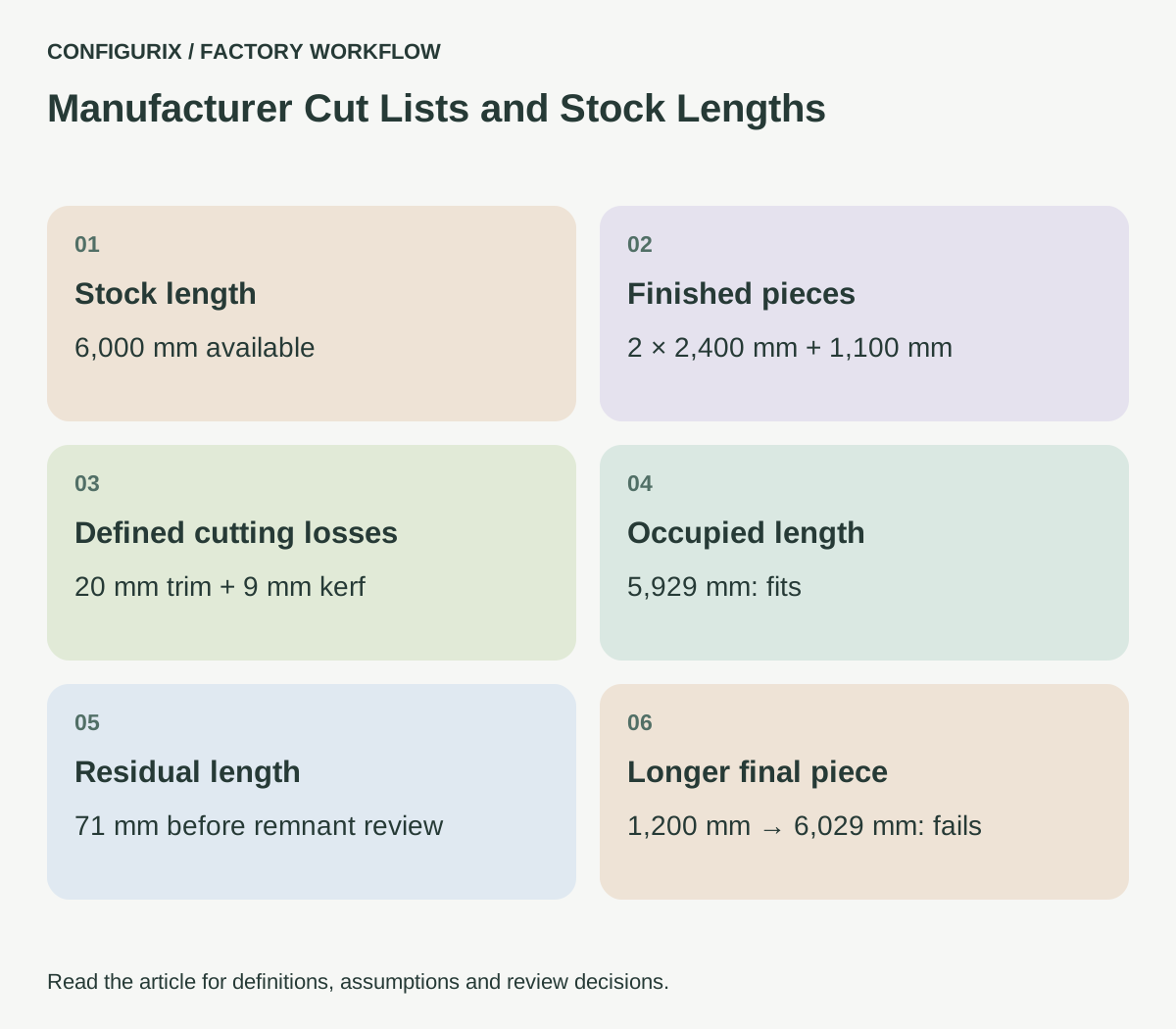
Use a 6,000 mm stock length. Assume 10 mm of trimming at each end and a 3 mm kerf for each part cut. These are defined inputs for this arithmetic exercise, not recommended machine settings.
The order needs two 2,400 mm pieces and one 1,100 mm piece. Finished lengths total 5,900 mm. Add 20 mm of end trimming and 9 mm for three part cuts. Total occupied length is 5,929 mm, leaving 71 mm:
6,000 − (2 × 2,400 + 1,100 + 20 + 3 × 3) = 71 mm
If the final piece changes from 1,100 to 1,200 mm, occupied length becomes 6,029 mm. The arrangement no longer fits. Comparing only the finished lengths with stock length would miss the failure: the finished pieces total exactly 6,000 mm, but there is no room for the defined cutting losses.
 Open full-size image (new tab)
A reviewer should see the inputs, deductions and residual length, not just a pass or fail icon. If the production method changes, the factory can then identify which assumption needs updating.
Decide what counts as a reusable remnant
An offcut is not automatically reusable inventory. Define a minimum usable length and any restrictions on finish, damage, orientation or traceability. A remnant may be long enough but unusable for a visible component because of a mark, or unavailable because it has been reserved for another order.
If remnants are tracked, give them identifiers and locations. Record the measured usable length rather than assuming the residual from a calculation exactly matches the piece on the rack. Decide when the record is created: when the cutting plan is approved, when the cut is completed or after the operator confirms the remnant. These events have different implications for stock availability.
For the exercise above, a 71 mm residual would fail a factory-defined 300 mm minimum. Another manufacturer may use a different threshold. The software should implement the agreed policy and explain the result rather than present one threshold as an industry standard.
Define what optimisation is allowed to change
A cutting optimiser needs a clear objective. Minimising stock lengths purchased, minimising waste and minimising machine changeovers can produce different plans. Delivery priorities, material batches and the cost of handling remnants may matter more than the smallest offcut total.
Start by validating feasibility. Then compare proposed plans against a small benchmark set with known constraints. Record stock used, usable remnants, unusable waste and any additional setups. Do not describe a result as globally optimal unless that claim is supported by the algorithm, constraints and verification method.
For a Configurix implementation, agree whether the output stops at a reviewed cut list, proposes stock allocation or connects to a specialist optimisation or machine system. A machine-specific export needs a separate technical specification and test process. A general spreadsheet download is not evidence of machine compatibility.
Keep parts connected to the accepted order
The person cutting a component should be able to identify the assembly that needs it. Include order, configuration revision and part reference in the job pack or label design. For mirrored or handed parts, use a clear orientation reference instead of relying on visual memory.
When a customer changes a dimension after a list has been released, retain the earlier revision and show which pieces are affected. Production needs a decision about parts already cut: reuse, rework, scrap or hold. Recalculating a new list without addressing work in progress can create both material waste and an incorrect assembly.
Can the same software produce a BOM and a cut list?
That can be included in a custom project. Define the relationship between the two outputs: the BOM may identify purchased stock or consumed material, while the cut list identifies finished pieces and their processing dimensions.
Should we add a fixed waste percentage?
Only for a purpose the factory has agreed. A planning percentage may help early estimating, but it does not prove that a specific cutting plan fits available stock.
Can Configurix send data to our cutting equipment?
Bring the equipment's supported interface or file specification to discovery. The proposed connection, validation method and operator approval must be scoped and tested for that equipment.
Connect this discussion to quantity rules for a configurable BOM and the product configurator implementation guide. Bring a reviewed cut list, stock catalogue and machine constraints so the first release has a precise definition of a usable output.
Connect configuration to the way your factory works.
Bring your product catalogue, pricing rules and current documents. We can define a product configurator implementation around the decisions and system connections your teams need.
Discuss your factory workflow →Related articles
Understand the cost behind your configured price.
Connect BOM materials, operations, setup and packaging to quote pricing. Compare markup, margin and discounts using a worked factory cost example.
Help customers find the part that fits their product.
Plan a manufacturer spare-parts portal with product identification, historical configurations, replacement compatibility and reviewed service requests.
Connect quality records to the product you built.
Plan factory quality workflows linking configurations, material lots, serial numbers, inspection results, rechecks and authorised release decisions.
Keep every assembly connected to its components.
Plan multilevel configurable BOMs with assembly quantities, purchased kits, option inheritance, traceable aggregation and component revisions.